
Get reliable performance and automatic updates without managing servers or software. ChatBeacon AIX Cloud is hosted on Microsoft Azure and maintained by our team.

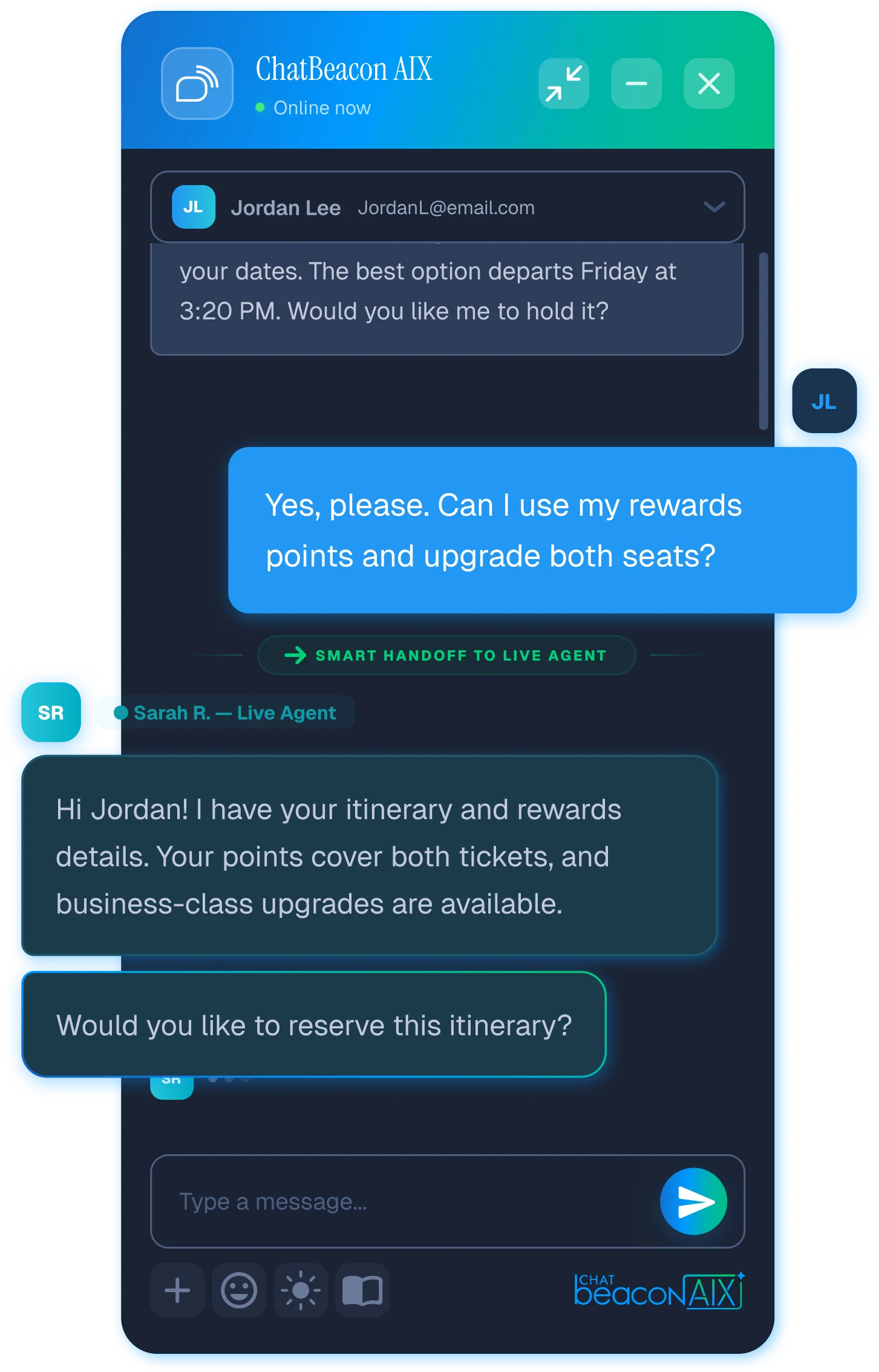
Modeled from the published Launch cloud rate against the Launch on-premise license plus infrastructure and administration estimates. Your own figures set the real numbers.
A license is one line on an invoice. What follows it is a server to size, a SQL instance to license and back up, a certificate to renew, a patch calendar, a monitoring plan and someone on call. On Cloud, that entire list is ours.
There is no environment review, no hardware requisition and no change-advisory board. You configure your widget, connect your knowledge base, invite your agents and paste one script tag into your site.
New AI capability, new operator tooling and security fixes reach your account as they ship. Nobody has to schedule an upgrade, test it in staging, or explain to the board why you are three versions behind.
Seasonal peaks, a product launch, an outage that triples your chat volume overnight. The platform absorbs it. You are not the one deciding at 2am whether to add another web node.
Self-hosting quietly borrows a few hours a month from a sysadmin and a DBA, and more than a few on upgrade weekends. That time is the real price of control, and on Cloud you keep it.
Hosting, database, backups, monitoring, updates and support are inside the seat price. Every tier includes AI chatbots, live chat, co-browse and video, with no per-resolution fees and no conversation quotas.
For a first team getting AI chat in front of customers. Everything you need to answer, escalate and measure.
For support organizations running routing rules, ability groups and reporting across several queues.
For large deployments, and the tier where Private Cloud isolation or a self-hosted install is quoted alongside.
AI chatbots run on your own OpenAI key with unlimited resolutions, so answering more questions never raises the bill. Prices shown are list and subject to change; annual and multi-year terms are quoted separately.
Start your trialCloud bundles hosting, the database, backups, monitoring and updates into a per-seat rate, so your cost tracks headcount and nothing underneath it is yours to run. On-premise is bought once and maintained annually, with the server, the database and the administration time on your side. Which one costs less depends on your seat count, your term and what your team already runs. Set the inputs to match your situation.
Cloud does not mean less scrutiny. It means the patching, monitoring and hardening are done by the team that builds the product, on infrastructure that is watched continuously rather than during business hours.
The platform runs on Azure with US data center options, so the physical and network layer sits inside one of the most heavily audited estates in the industry.
Transcripts, visitor records and session replays are encrypted on the wire and in storage, with access limited to the accounts that need it.
Operators sign in through your identity provider, and ability groups control what each of them can see and do. Joiners and leavers follow your existing process.
Backup and recovery are part of the service and exercised by us. Nobody on your side has to prove a restore works the week before an audit.
AI runs on the OpenAI key you provide, so the model relationship, the usage terms and the spend stay under your account rather than being resold to you.
SmartMax Software is US-owned and US-staffed, in Tulsa, Oklahoma. Security questionnaires are answered by people who work on the product, not a portal.
If your procurement process needs current security documentation, a data processing agreement or a completed questionnaire, ask and we will send what we have on file.
Cloud is not a cut-down edition. These are the current interfaces, and a five-agent account gets the same three surfaces as a five-hundred-agent one.
Visitor traffic, chat volume, quality and satisfaction, agent performance. Reporting is live from day one, with no warehouse to build and no dashboards to commission.
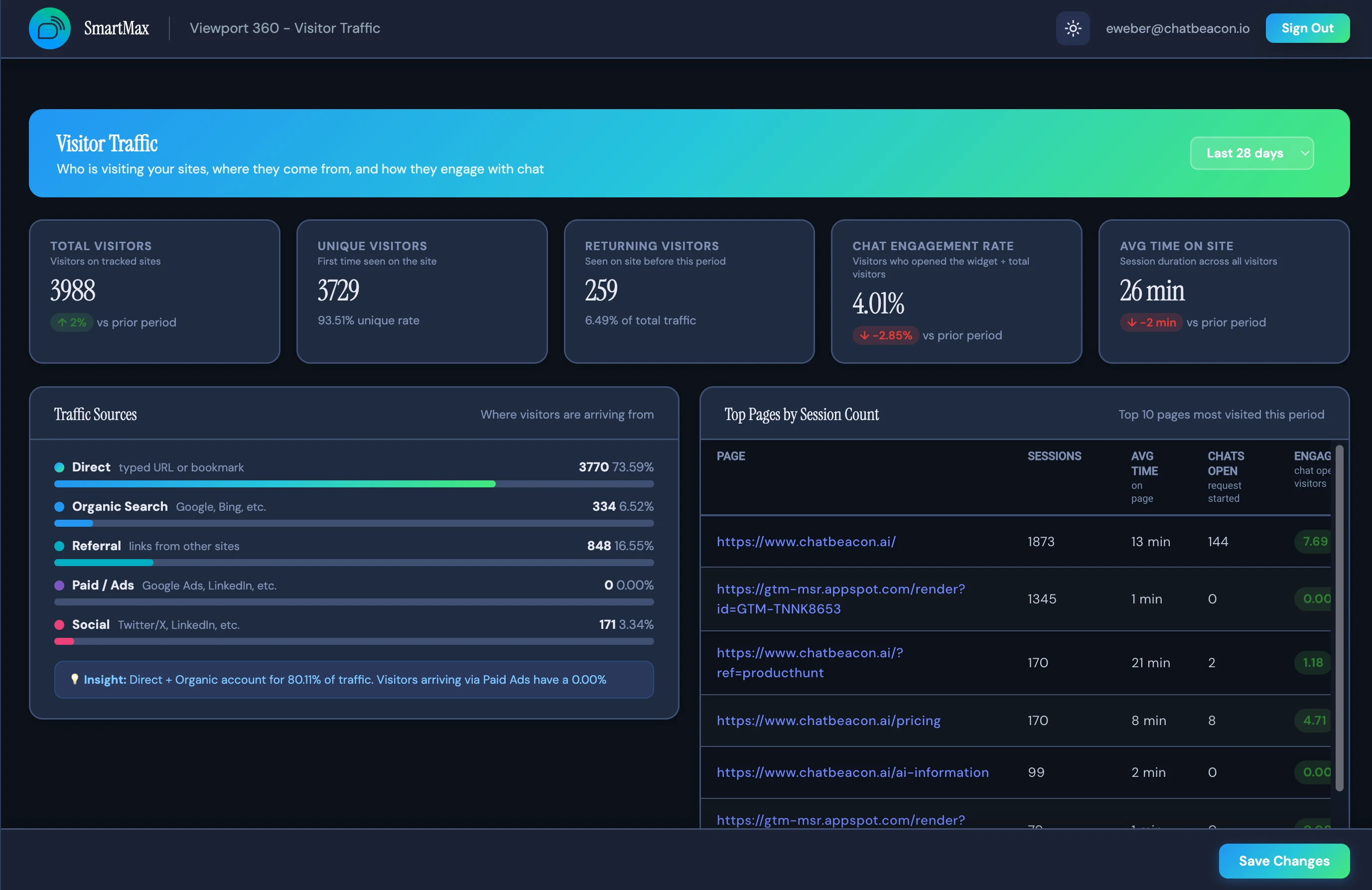
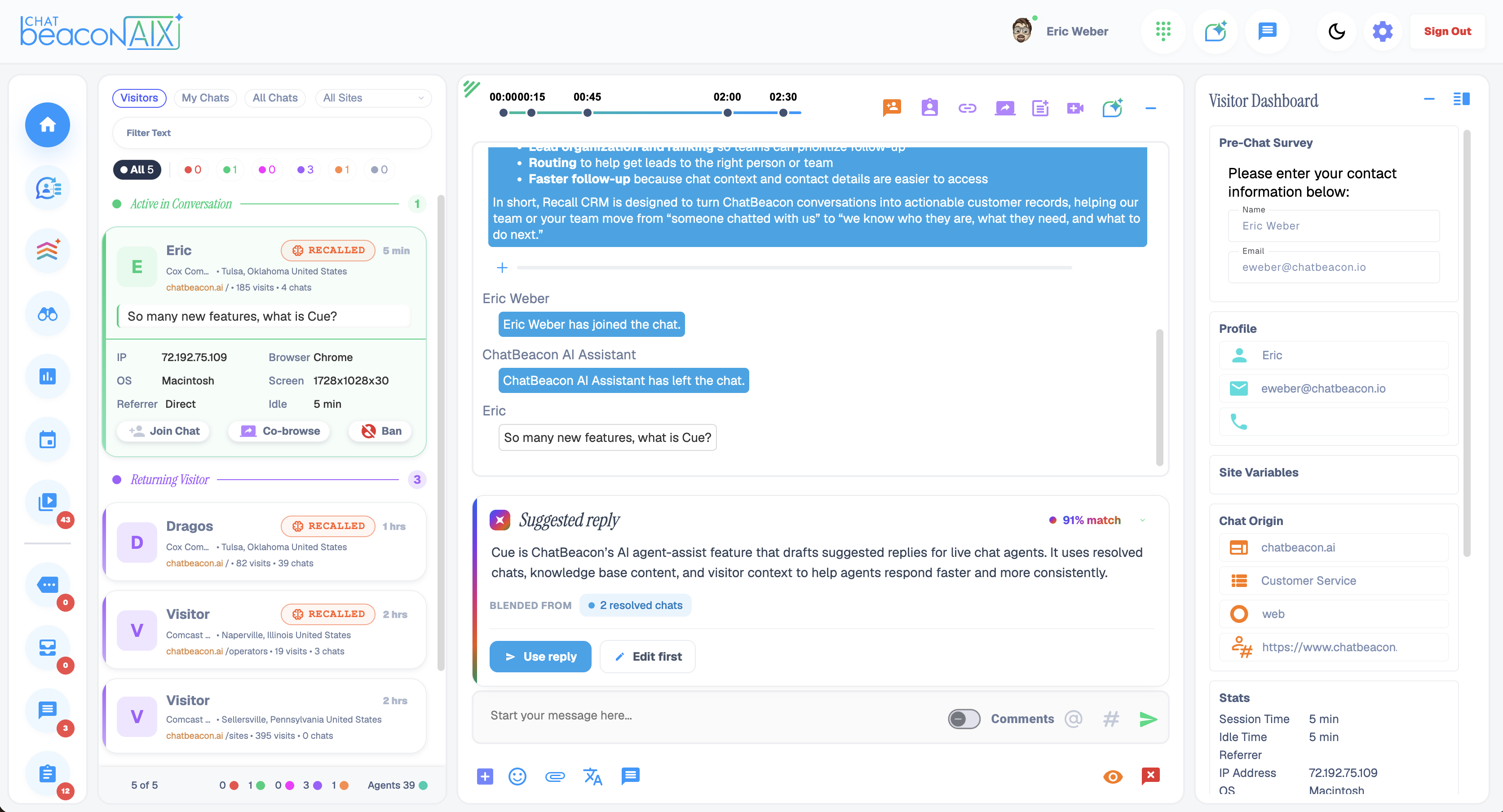
Queued visitors, session replay, event timeline and the AI assistant pane in one browser tab. Operator sign in from anywhere, including home and contact-center desktops you do not control.
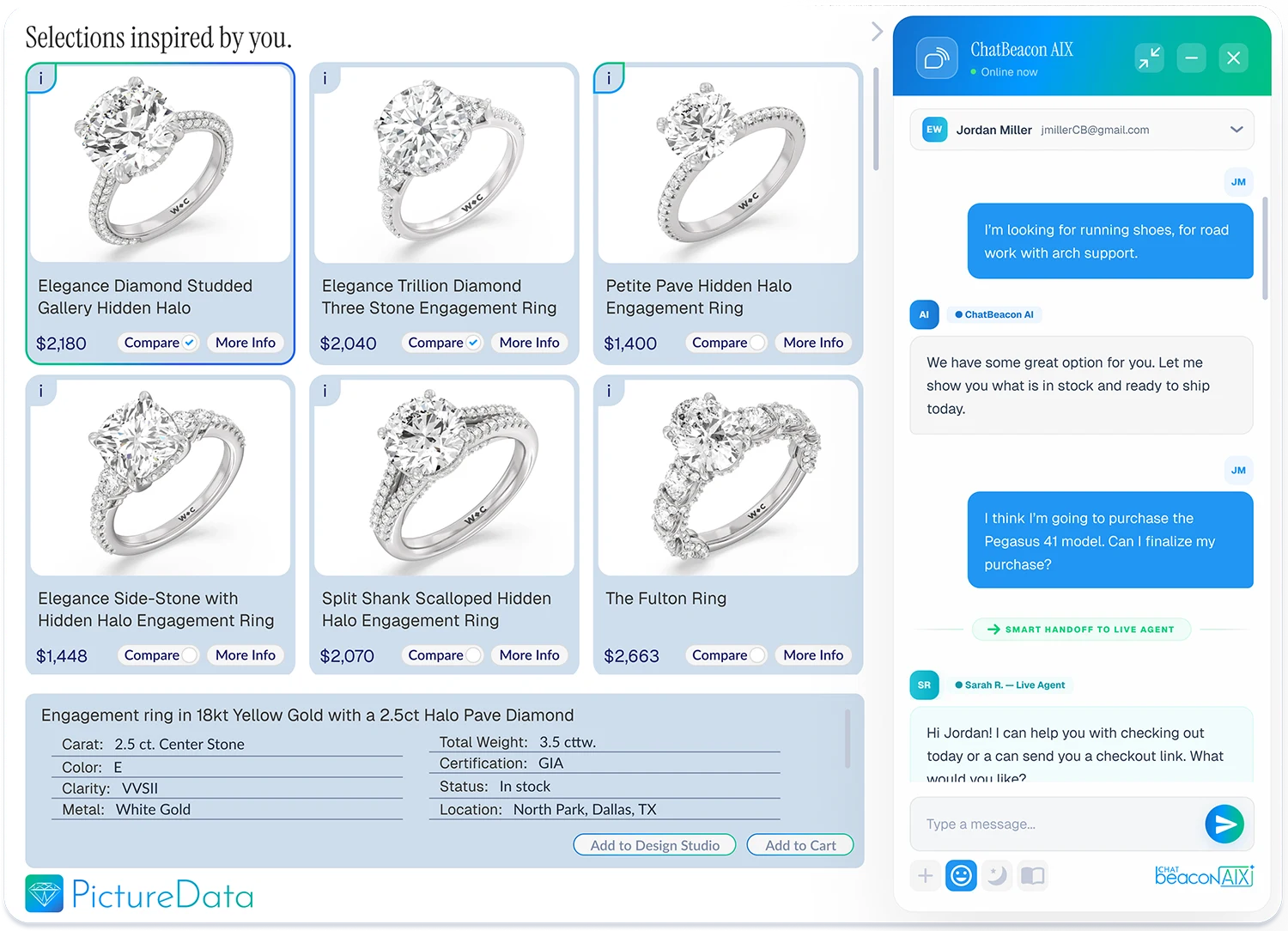
The visitor-facing widget answers tier-one questions and escalates to a live operator when it should. One script tag on your site, styled to your brand in the Admin Portal's theme studio.

Pick a tier and a seat count. Your environment is provisioned for you, with nothing to size or request from infrastructure.
Point it at your help center and product pages, connect your OpenAI key, and review the answers it gives before anyone sees them.
Theme the widget to your brand, set business rules and ability groups, and invite your agents to the Operator Console.
Drop the widget snippet into your site and take your first conversation. Everything after that is measured in the Admin Portal.
In ChatBeacon's Microsoft Azure tenancy, with US data center options. If your policy requires a dedicated environment, Private Cloud gives you single-tenant isolation in the region you choose.
Yes. Seats move up and down month to month, which is what makes Cloud the right fit for teams with seasonal volume or a headcount plan that is still moving.
No. There are no conversation quotas and no per-resolution fees. The AI runs on your own OpenAI key, so model usage is billed to you at cost by OpenAI rather than marked up by us.
Nothing you need to plan around. Releases are applied to the platform by us, and your agents sign in to the current build the next morning.
No. The Operator App is web-based and runs in a current browser, which also means remote and outsourced agents can work without touching your desktop image.
Yes, and it is a supported path rather than a rebuild. Transcripts, visitor records and configuration are exported from Cloud and imported into your own SQL database at cut-over.
If conversation data cannot leave your network, if you need an air-gapped install, or if you must hold the encryption keys yourself, the honest answer is on-premise. We have shipped that build since 2005 and will quote it instead. Most teams do not have those constraints, and for them Cloud is faster, cheaper to start and less work to keep running.
Tell us your seat count and where chat sits on your site. We will get you an account, help you point the AI at your content, and stay with you through the first week of live traffic.